Our Old FurnitureSo, we got new furniture in our Library about two months ago. The furniture we received were a couple of hand-me-downs from another branch in the library system and don’t really fit in with the rest of the “décor” in this branch. But anything is better than what we had because that furniture just had to go. They were over 30 years old, uncomfortable, and pretty gross. By contrast, this new furniture was clean, comfortable, and fairly clean. Our big dilemma was where to put the new furniture.
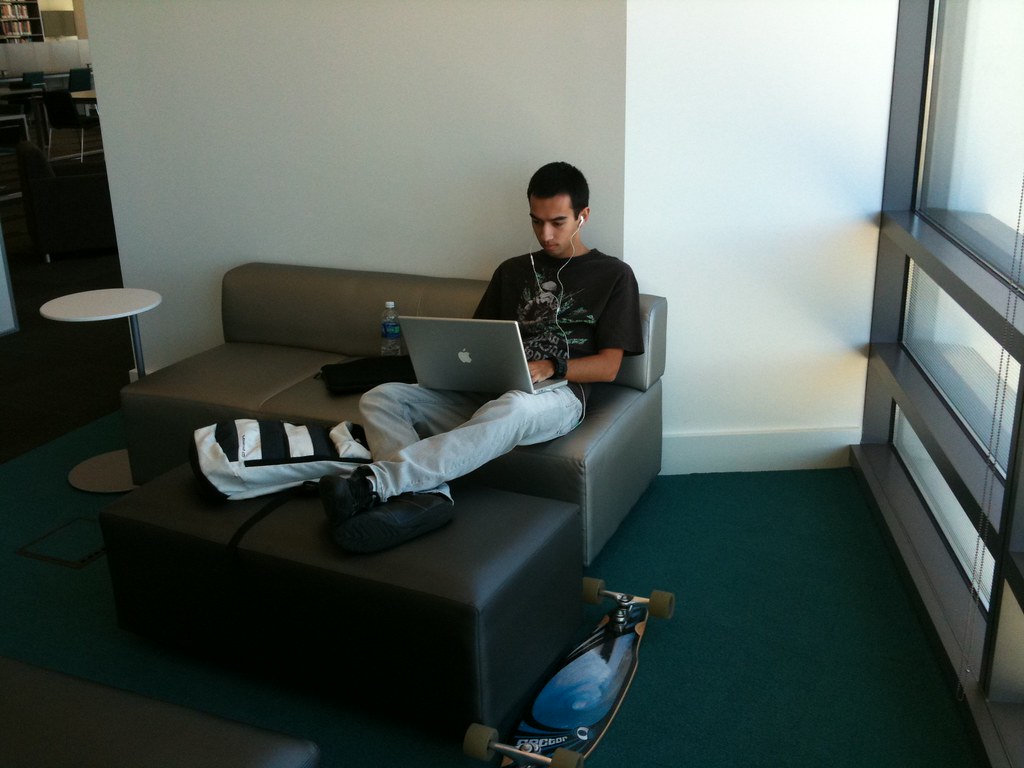
Our New FurnitureWe knew we wanted to create some lounge spaces where people can relax and read something or use their laptops. So for those areas we needed adequate light and power outlets. And we knew that we wanted to create a space for waiting for computers that was comfortable for reading or relaxing while waiting. We thought those areas should be near the computers so people could easily see when one became available. However, one of our big questions was exactly where these areas should be, and we also weren’t sure if they would be used for the purposes we thought they would be used for. In either cases we recognized that we could be totally wrong about were furniture should go or how it might be used.
I knew that I could be wrong about where the furniture should go because of a Library Tour I took at a conference a few years ago. As I walked through the library, the head librarian was pointing out some of the great things that the library had. At some point, we came to a great space that was really well lit and had a fireplace and lots of big comfortable chairs. I thought this area was perfect! The chairs were in neat little rows with coffee tables at their sides and everyone could just “be” in the library. Well, the librarian started complaining right away that the coffee tables (because they were the perfect height) were being used as foot rests, and that all the furniture kept moving to a couple of very specific areas of the room. And he was complaining that staff had to come in here a couple of times a day and move all the furniture back!
The solution to this kind of problem in public spaces comes from an architect I read about a few years earlier. The architect (who I can’t remember) designed a building with a courtyard but didn’t make any designs for adding concrete walkways through the grass. Of course, everyone complained, but the architect succeeded in keeping the walkways out of the plan. After the building was occupied and used for a few weeks there were very distinct walkways across the grass in the courtyard. So, that’s where he put the concrete walkways! Basically, he let the people using the courtyard, design the courtyard in a way that worked for them. Not the other way around.
To take this back to my library and our furniture, I thought, what if we put the furniture out and if the patrons moved it, then…. it was moved! This way we can see where our patrons want THEIR furniture and where it suits THEIR needs. Honestly , if all the furniture works for the majority of the patrons on the left side of the building and upside down and stacked then I really should have no problem with that (of course OSHA might) because it is, after all, THEIR library.
Food for FinesIts the time of year that many libraries are promoting a food-for-fines campaign and I wanted to make sure I had my little say in the matter. I didn’t realize how passionate some people are about how radical these guidelines were until I posted this on a listserv and got some really angry emails back!! But, I have noticed some kinds of craziness with the rules and obligations put forth in the campaigns that I really have a problem with so I’m putting my little thoughts and experiences out there.
Here are the guidelines we put forth at my previous library:
1) Materials had to be returned to get the overdue charges removed, I.E. no paying for lost/missing/damaged items with food as we would have pay to replace the item anyway.
2) Food couldn’t be expired or damaged and it had to be non-perishable
So, if you returned your items (no matter how late) with some food (no matter how much) we would wave your fines. We got so many materials returned with a can of food or two that I can’t imagine what we saved in the cost of re-ordered and re-processed materials. Also, it was fantastic PR!
Sure, some people returned their materials with a package of Ramen Noodles and got 20-30 dollars of fines waived, but we got the material back, we got the food, and got the patron to come back to the library. Really it was a WIN, WIN, WIN situation. I would also like to point out that for every person who brought in 1 package of ramen noodles or the like, we got people who didn’t owe fines bringing in food for the local community pantry that we were donating the food to and we also got people bringing in WAY more food than their fines were worth. I can’t figure out a bad angle to look at this from, and I tried!
Also I am reading that there are quite a few libraries saying 1 can of food is equal to one dollar in fines. I just got back from the grocery store and I don’t think I saw any cans of food that were only 1 dollar. This might make it even harder for some folks to bring materials back, or donate. I think we have to focus on what the goals of the program are. For us it was;
1) Get materials back so we don’t have to re-purchase/process them.
2) Have the patron come back to the library.
3) Gain some positive PR and build up our social capital.
4) Do some good.
I think we achieved it all! The campaign was an astounding success, we got thousands of food items, and hundreds of items returned that we might not have gotten, and we got some great press! Good job team!
So, with @joeyelle joining the Peace Corps and leaving for two years, I’m a little on my own and need some things to occupy my time. I’ve had a list of things that I’ve wanted to do that has been doing nothing but growing and growing. I think I’m going to take all of the free time that I’m going to have and fill it with completing all of these things that are on my list. It will be like my own little renaissance! If you see anything on the list that you are interested in doing and live in an area somewhat close to me, feel free to join me for any of these things. I might not finish them all because some take longer than two years to complete, but I at least want to get a start on them.
So, here is a list of things Patrick needs to accomplish in the next two years….
Buy and live-aboard a Sailboat
Get a yacht surveying certification Run for ALA office
Build an Electric Guitar From Scratch
Speak fluent Spanish (in process) Scuba certification Become a Certified Public Library Administrator Ham Radio License
Knot tying
Guitar Lessons/Classes (In process)
Bungee Jump
Skydive
Learn Celestial Navigation Present at two conferences
Publish 2-5 professional articles
Begin either a Masters in Business Admin or PHD in Information Ethics
Finally finish reading the Harvard 5 foot shelf of books
Captain’s License
Publish a short story Learn HTML and other programming languages
Hang glide
Materials Sorting MachingAs the second part to my post (or rant) about automation in libraries, I want to write about why I think Mountain View Public Library’s system might change my mind. MVPL uses the Libramation system for their RFID and MK for the sorting system & return software and circulate roughly 1.5 millions items out of just this one library. If you are unsure about why I dislike automated systems so much you can read my previous post. Some of this might not make sense unless you read that. Also, I want to talk about the library itself and some of the features I saw that I really loved, but I think that will have to wait for yet another post. So I’ll stick with the automation and how it addressed my concerns for this entry.
COST
I’m not sure what it cost them (I was afraid to ask) but I was doing a little math in my head as we went through it. The costs seemed to be- the sorting machine itself, book drop interfaces, RFIDs, self-check, RFID printers, construction/installation, staff training, and ongoing power, supplies, and support/maintenance costs. These are the costs that I would expect and nothing out of the ordinary and the savings typically come from the reduction in staff which was my second concern.
STAFFING
Our tour guide was the Circulation supervisor and she explained that this system did bring in a large reduction in staff time. I was unable to see the savings in action this day because we were on the tour the day after a holiday and more staff were called in for all the extra returns, but typically I was told that there was only one person in the back room managing the system with occasional pages to do the detail sorting and shelving. Also, I noticed that because they also had Self-check stations the front desk was only staffed by one person. So, from what I could tell, for a circulation of 1.5 million and only needing one paraprofessional in back, one on desk, and a handful of pages shows a fairly significant savings over the long run. This reduction in staff was mostly because the system actually works! Which is was my third concern.
THE SYSTEM WORKS!
As we were in the processing room with the machine we got to see it working first hand. To my great surprise, the machine actually worked! The books were dropped in the book drop, instantaneously taken off the patron’s record and taken on a conveyor belt were it was rough sorted into 11 different categories depending on where it belonged in the library. For example, one cart was for books in the adult non-fiction area from 0-100, the next for 200-300,Self-Check Stations etc… and holds or problems when into the last bin. The carts were then hand sorted by pages to carts and shelved. The only real glitches had to do with items being returned that didn’t belong to MVPL (which is a glitch at almost any library) and items that couldn’t be RFIDed properly because of its shape or case. This second problem was being corrected in a number of ways and won’t be a problem any more in a couple of years. The first glitch has to do with patrons using the system which was my largest concern.
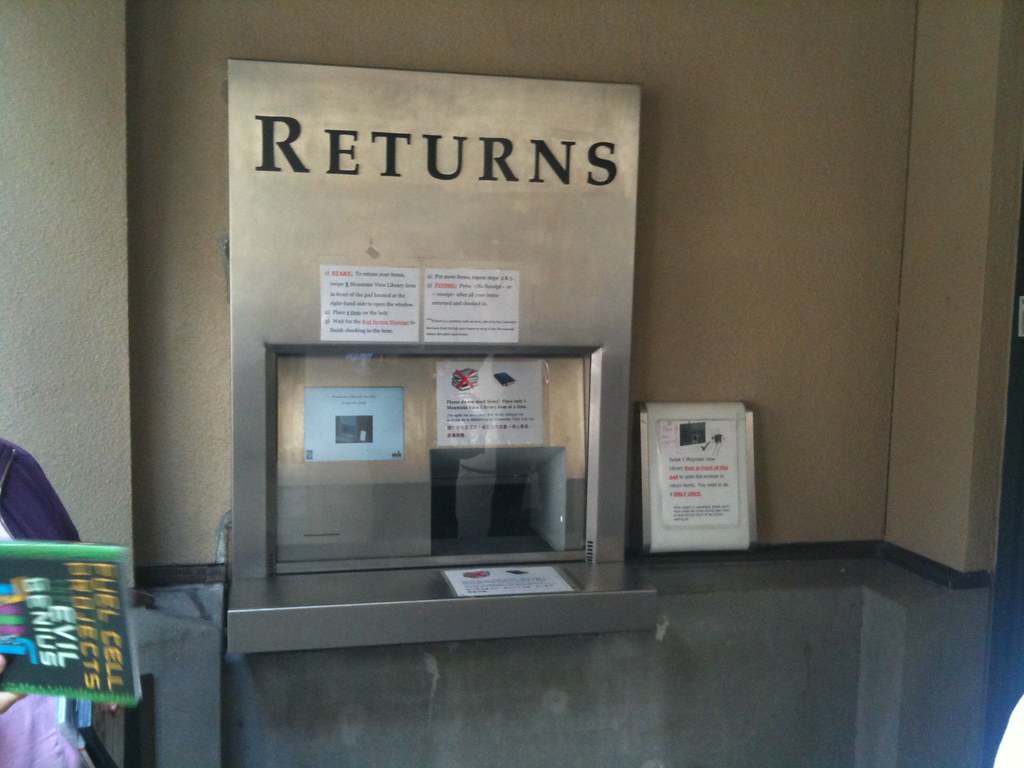
THE PATRONS Book Drop InterfaceI took a little time and watched the patrons interacting with the machines. It seemed to go smoothly but I could tell that there was a large learning curve for them by the number of signs on the book drop. I suppose this is to be expected since the new system requires a new set of rules that they had to learn. For example, the patrons had to place items one at a time on the conveyor belt for the system to work properly and a light in front made it seem that it was scanning a barcode and not a RFID. Also, a piece of drop down glass covered the machine to keep people from placing things that didn’t belong into the drop. However, when I first arrived and looked at the machine, my first thought was that it was closed and that I couldn’t use it. After a couple of minutes of investigation a patron approached and opened the glass by scanning a book on the outside RFID reader and returned her books very easily. Even with these little issues, everyone I saw that day (especially the kids) who used the self-check and the return interfaces seemed pretty happy with it all. And happy patrons + happy staff = a win in my book!
So have I had my faith redeemed in RFID and Automated Materials Handling? Maybe… However, I still think that these systems require a lot more work than the vendors tell you they do, not all of them work as well as MVPL’s, and I would be concerned that libraries who use these systems with significantly smaller circulation numbers won’t see the savings that the systems could bring. So I still recommend a fairly high level of caution when thinking about adding one of these machines to a library. Its shiny, its new, it doesn’t always work, but for MVPL, and our library system’s installation of the same system, I’d say we are very potentially making a great decision and definitely making a good well-researched decision. Way to go team!
Mountain View Public LibraryI’m always a little skeptical of automated library return systems. I’ve had some bad experiences with them and I’m never sure that they have a positive return on investment. So when our library system decided to invest in four at four of our branch locations I was a little worried to say the least. Luckily, our director made the decision to have our branch manager meetings at other libraries in the area instead of within our own library system. This lets all of us branch managers gain a little insight into the tools and techniques of other libraries and in this case, gain a more in depth look at the automated system in the Mountain View Public Library (I will review this automated system and this beautiful library in general in a post to come). This re-look at these kinds of systems made me think of my own personal history and concerns about automation and RFIDs in general.
The first concern is the cost of such a system. In my last library we used the 3M system for RFIDs and automation. The RFIDs cost $0.46 each (we had 180,000), the RFID readers cost a few thousand each (we had almost 20), the RFID printers were rented and still cost a few thousand. These costs don’t include the costs for the servers, wiring, installation, security gates, self check-stations, and software maintenance charges that total some number beyond my comprehension. At that library we didn’t have, and therefore I didn’t include the cost of a fully automated sorting system and all items fell through the bookslot and into one bin.
The second concern is that, in my experience, these systems don’t require less work from staff at all. We were told that, as the items fell through the bookslot, they would automatically be checked-in and all we would have to do is sort the items and put them back on the shelves. However, this was not case. Items in the bookdrops were only checked-in 60-65% of the time requiring all items to be re-checked manually and sorted for holds and ILLs by hand. Also, metallic items such as anything with a CD, or metallic and reflective paint would not be scannable with the RFID system. Our library system also had a second building that wasn’t RFIDed. This is a similar problem found in library consortiums where items can be returned between library systems and different brands of barcodes or RFIDs are used that aren’t compatible. In relation to the amount of work required by automated systems is how much work staff is still required to do. Generally, the items still need to be pulled that are on hold or ILL, they still need to be
My third concern is; how well does the sorting machine actually work? I’ve been to a few libraries that use an automated sorting system that simply doesn’t sort the items in a way that’s even remotely effective. The items are misfed, mislabeled, and missorted to such an extent that the librarians have simply stopped using the system. The complaints from the poor folks who are stuck with these machines are long and plentiful and filled with stories of what could have been better done with the hundreds of thousands of dollars that were spent on the non-functioning machine. Of course the vendors promised the world to these sad librarians and I’ve actually heard the vendors say at conferences that staff will never have to touch a book again! In fact, I’ve had to stop spending time in exhibit halls at conferences because I’ve angered too many venders by my questions that lead them to admit to the Music Man like lie they just blatantly made to the group of librarians who surrounded their shiny new machines that would solve every library problem ever created and sure to come.
My final concern surrounds the ease of use for the patrons who are forced to use this machine. As the librarians are already frustrated with many of these systems, the patrons forced to use them oftentimes have the same experience. Many times the system has a new set of rules that patrons must learn, the system doesn’t work intuitively or consistently, and the end result is that the patron makes a mistake, the machine doesn’t work and the patron gets blamed, feels stupid, or simply doesn’t want to learn. And honestly, who can blame them? They already have to learn how to use ATMs, different self-check systems at grocery stores, smartphones, computer programs, different computer platforms, and the list goes on.
As a side story – I was recently talking to a library director at a conference about their RFID system and she made the comment that items need to be returned one at a time through the bookdrop for it to work but patrons were putting in more. Someone asked how they make sure that items are put one at a time through the bookdrop and she simply said “oh, we made a sign.” I asked her how that worked out for her, and she said…(I’m not kidding)… “it’s a really nice sign that’s made out of brass and engraved” and then looked at me as if that settled the problem and answered my question. I’m not sure that it did, but I gained a lot of insight into how that library works with that statement.
Luckily, I found that the Mountain View Library’s system solves almost all of these problems and is, as a library building, a very beautiful and functional space. Perhaps, one day renewing my faith in library vendors and automated systems. I will be blogging about how this whole thing SUCCESSFULLY!!! works in the days to come.
Outside of LMU libraryAfter CLA in Pasadena I was invited by Carmen Mitchell who I had met at Internet Librarian the week before to take a tour of the new Library at Loyola Marymount University. This is a gorgeous academic library on the campus of a private Catholic college. However, because it’s a new library and has only been open a few short months (in fact, this the first semester) there are a number of the typical new building issues that I’ve experienced and that I’ve heard from other librarians who have had the opportunity to build a whole new library. I’m going to pass over these issues and focus on a few of the great aspects of the library space.
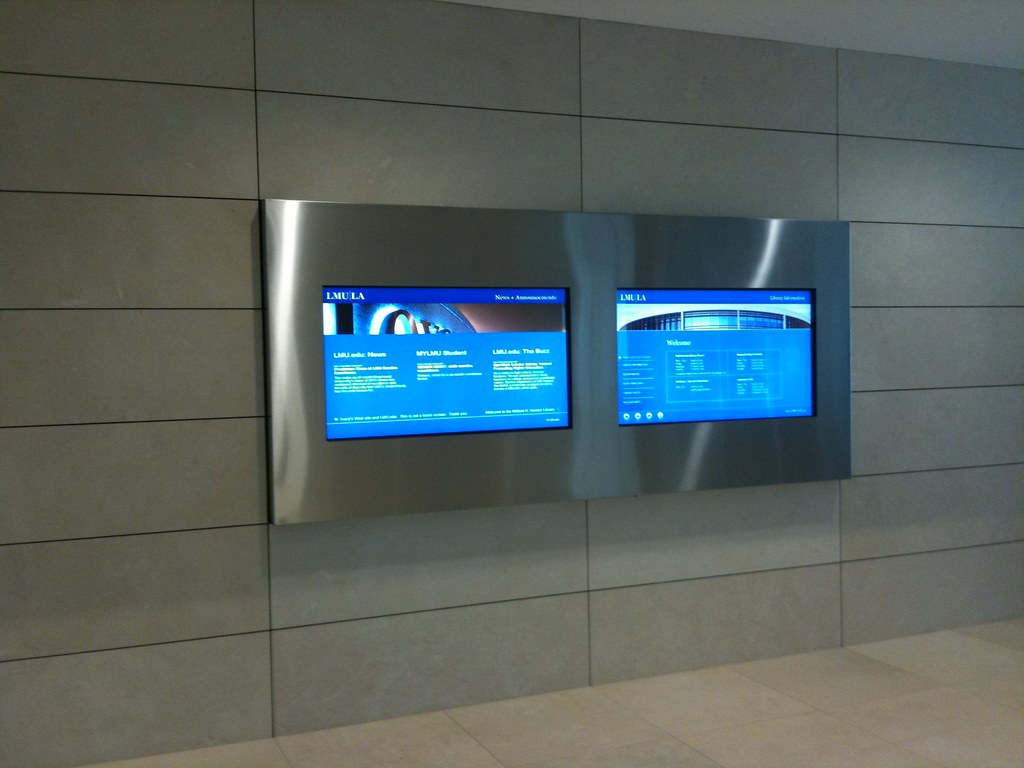
Information ScreenThe building itself is an amazing piece of architecture. Built in the shape of a circle, it defies the stereotypical library building focus of straight lines, columns, and rows that I see both inside and outside of libraries. Immediately, it is set apart from many of the other boxy academic buildings surrounding it. The entrance is wide and allows for a great decompression zone that separates the library and creates a defined boundary from the outside world. The design of the building is actually an outside circle surrounding an inner square that contains many of the working features of the library. Within the square are the offices, storage spaces, and working areas of the library and around the outside they’ve create a “Living Edge” with seating and study rooms. In between these two spaces are the books and materials for circulation.
There isn’t much to say about the materials in the library and the way in which they are organized as I felt it was fairly standard. Nor were the staff spaces (with one exception, that I will explain later) out of the ordinary. However, I was very interested in the working spaces for the students that they had created, what worked, what didn’t, and how the students adapted.
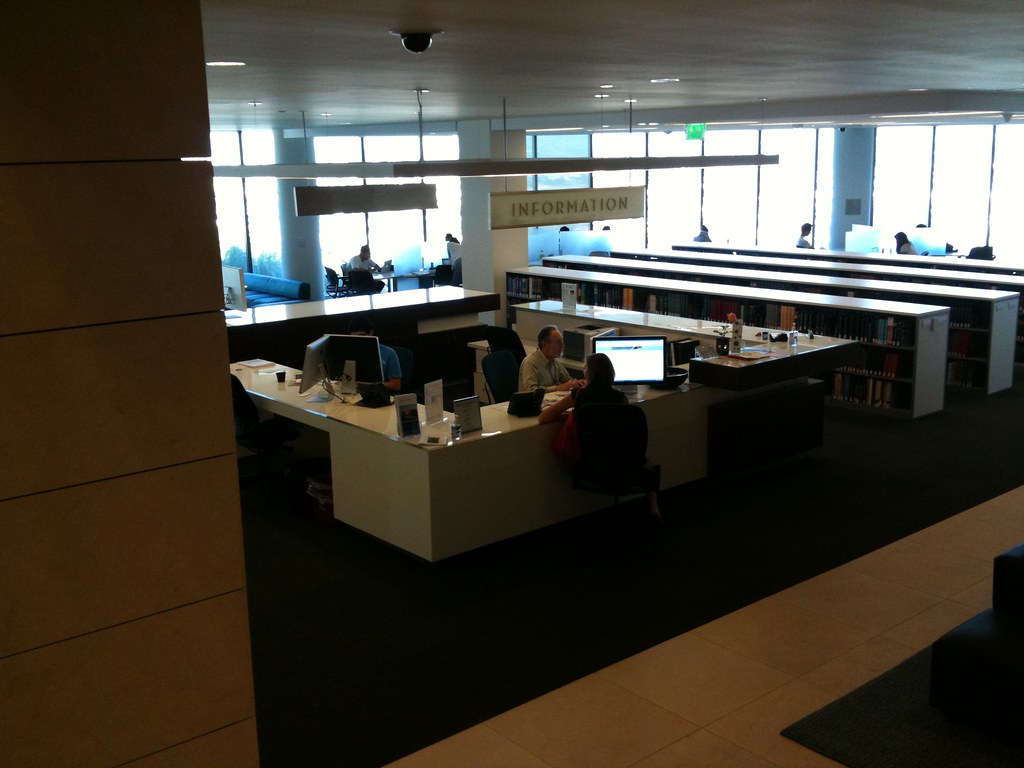
Reference Desk with two screensAs I walked through the library with my tour guide I noticed that the library using the Mac platform almost exclusively. These computers also had Windows loaded on them but every computer was a Mac. Each of the computer stations used large flat screens at angles that appeared to lend themselves for students to work in pairs if need be. In fact, at the reference desk there were two computer screens that allowed the student asking the reference question to see what was being done at the reference librarian’s computer without having to share on screen and turn it back and forth.
The large table workstations and study carrels themselves were one of my very few complaints. The tables lacked any data and power ports and students who were using their own laptops or other technology were unable to plug those tools into the space that they were working in without an excessive amount of effort. The study carrels were small and didn’t allow for students with multiple books, laptops, and notebooks that many students are using for class work. I didn’t notice very many students using these spaces, but did notice the way that the students had adapted to the spaces and created some of their own workspaces as in the photos below. Student at workStudent at Work
My favorite feature of the library was the study rooms that were built around the edge of the second floor. These spaces were enclosed, with a table and four chairs designed for group work and students could reserve the rooms Study Room with Whiteboard wallsonline or at kiosks in the library. Also, in these spaces were flat screen TVs that students could use to view many of the various forms of multimedia that is available to them. The walls of the rooms were completely made from a surface that was designed for use with whiteboard (dry erase) markers. These kinds of features seemed to lend themselves for more interactive and collaborative work without being restricted to the size of a standard white board.
My other favorite feature of the library was a staff or faculty workspace. This area contained many of the latest and most advanced research technologies with some of the older technologies blended seamlessly together. The entirety of the walls was coated in the same dry erase material that the student study room walls were made from. There were also a number of projectors and interactive equipment that encourages collaborative work in the space.
Overall I was very impressed with the building. Aside from the few complaints here and there that seem to stem from the construction of new buildings and the uneducated faculty and deans about the uses of libraries in the new millennium I feel that the library is a successful addition to the college campus and has potential to lend itself to many of the changes in the ways that people and students or faculty use libraries that are coming in the next 10-20 years at least.
All-time 8 best tweets from the California Library Association #CLA09
The CLA conference was an interesting weekend of technology deficiency and lackluster participation from both the venders and presenters. Unfortunately there was a sadly insignificant amount of tweeting going on and this is probably due mostly to the fact that there was no Wireless Internet available anywhere in the workshops. However, a HUGE thank you must go out to @strategicimp for providing the one wireless area at the conference and for providing (in my opinion) the best part of the conference, which was actually the Unconference.
I won’t go into too many details, but truly, I’m not sure what I would have done had that area not been set up. There were a couple of good discussions and quite a few great librarians (and librarians to be) hanging around the unconference “stealing” the internet and networking with each other. I hope they continue this event next year and get even more participants.
Although the tweets were few and far between I did manage to find a couple that I thought had some significance. The following are (in my opinion) the top eight tweets from #CLA09 and most came from the movers and shakers presentation that I had to miss.
@derekwolfgram “sometime you just gotta do stuff, and it pisses people off” -Lisa R
@joycenlee Think about how to leverage your past experiences. Just b/c they’re not directly related doesn’t mean they’re not relevant.
@jdscott50 “Gain a broad perspective of the organization, own your job, your role, be accountable, create mentor relationships.”
@tiffanylora “Leaders motivate others to create their own vision and together we can affect change.” ~Cindy Mediavilla
@sudofonik Think and be positive; don’t assume you won’t get an interview. There might only be a handful of applicants
@kgould “policy is the history of bad behavior” (the Unshelved guys)
@strategicimp focus on the experience u want to create – them design services and environment to make them real. ABA !
@bibliotechnical: Step 1 for digital collection make friends with political figures in community
There were some other good ones, but there were some even better tweeples present at CLA. While I couldn’t list great tweets from every single one of them I did want to mention that the following listing of librarians on Twitter are awesome people for twittering about the conference and being cool! I was just going to make a list on Twitter, but that feature needs some work and you should probably just follow these kickass folks anyway so….
After the Library Planning seminar on Friday we had the opportunity to tour an amazing historic library in downtown Pasadena. This is a marvelous library was dedicated in 1927 and remains with the same look and feel of the year. It is a beautiful building and while I could go on and on about every room, I’ll spare you the details and the long drawn out blog entry (that this library actually deserves) and just give you the highlights of the building.
The entrance to the library is located at the dead end of Garfield St. making for a spectacular view of the library from the street into the main entrance. Walking up the steps leads into a small atrium or patio area with great stonework, a fountain, seating area, and beautiful classic architecture of the time period that the library was built in.
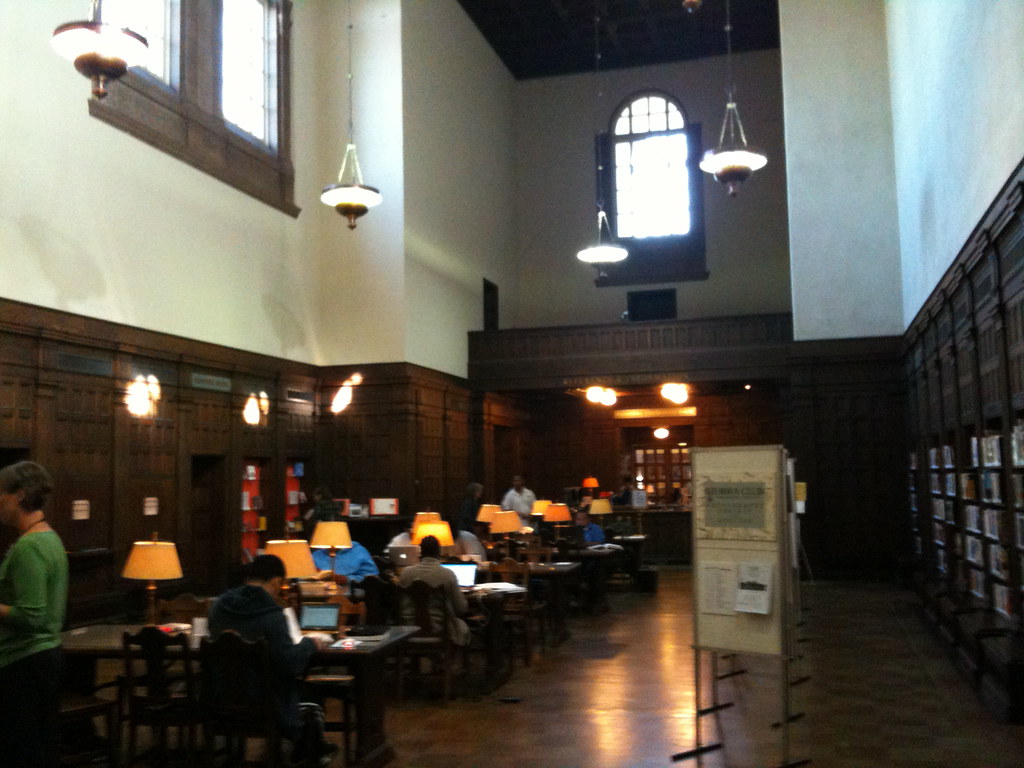
Main Lobby of Pasadena Library Even more fabulous is the entrance into the library itself. Walking through the timeless dark wood doors and into the main lobby I felt as if I was yanked from the 21st century and thrown back the mid 1800s. I immediately wanted a pipe and coat and simply discuss the pressing issues of the century with other sporting fellows over the latest edition of the New Yorker. Front desk of Pasadena Librarybeginning. But I was sharply brought back to reality when I noticed the computers on the circulation desks and the patrons with laptops shining under the old time lamplights on the worktables. It was a marvelous blend of olden Americana and modern amenities. I was fairly thrilled from the
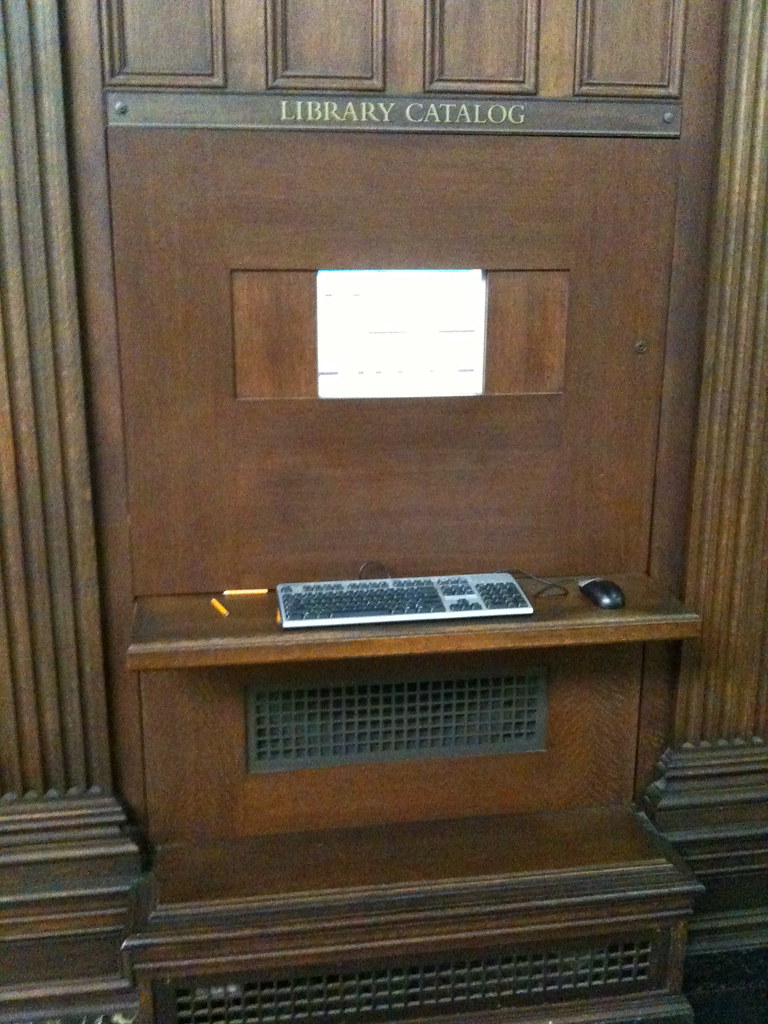
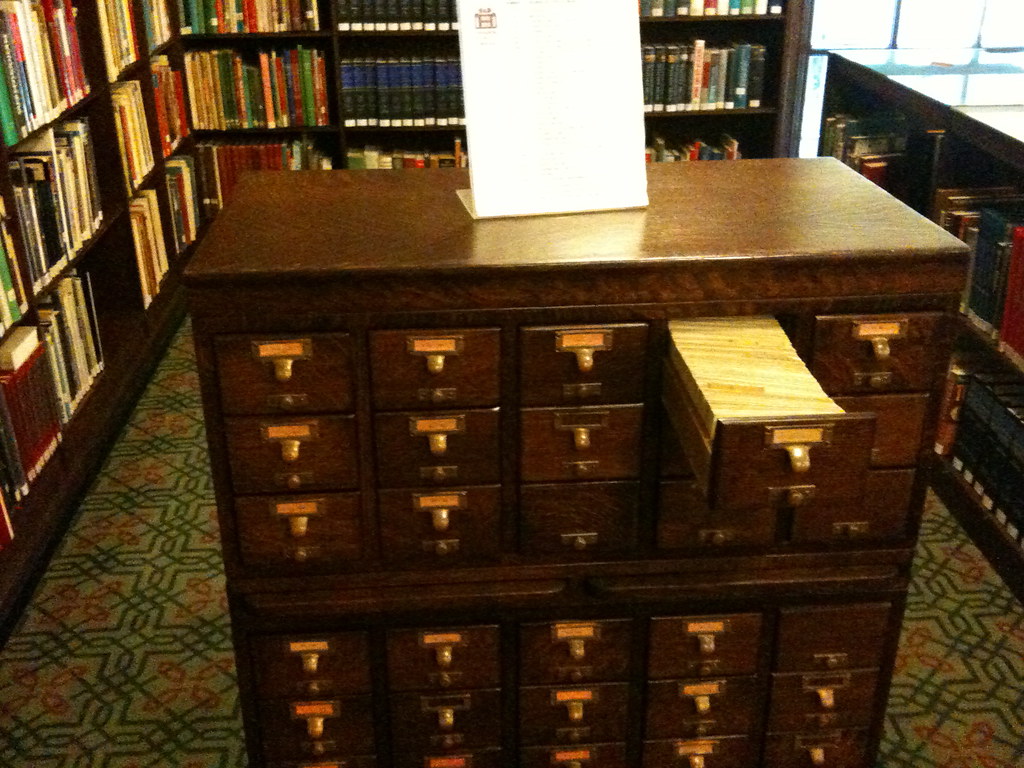
Cyborg OPACAs I walked around the building I became more and more aware of the technology that was almost grafted into the building in an almost cyborg (think “The Borg” from Star Trek). It was done throughout the library in a brilliant way. I’m going to have a hard time describing each of the places that I found that had computers and technology built into the soul of the library itself so I’ll just post the pictures.
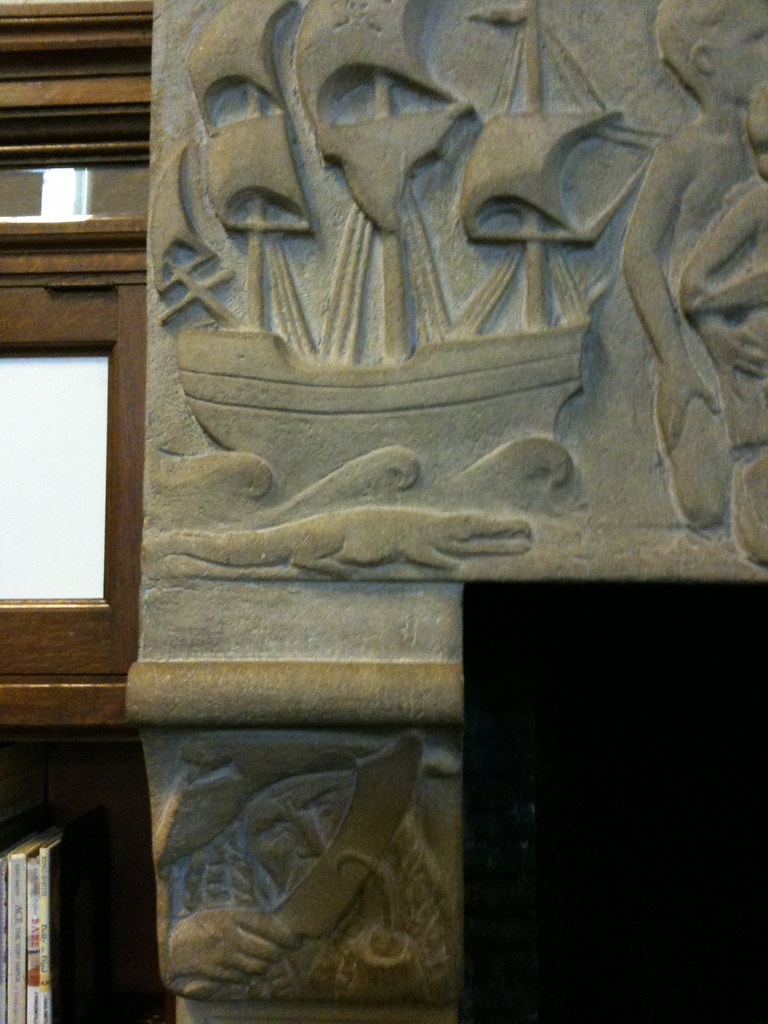
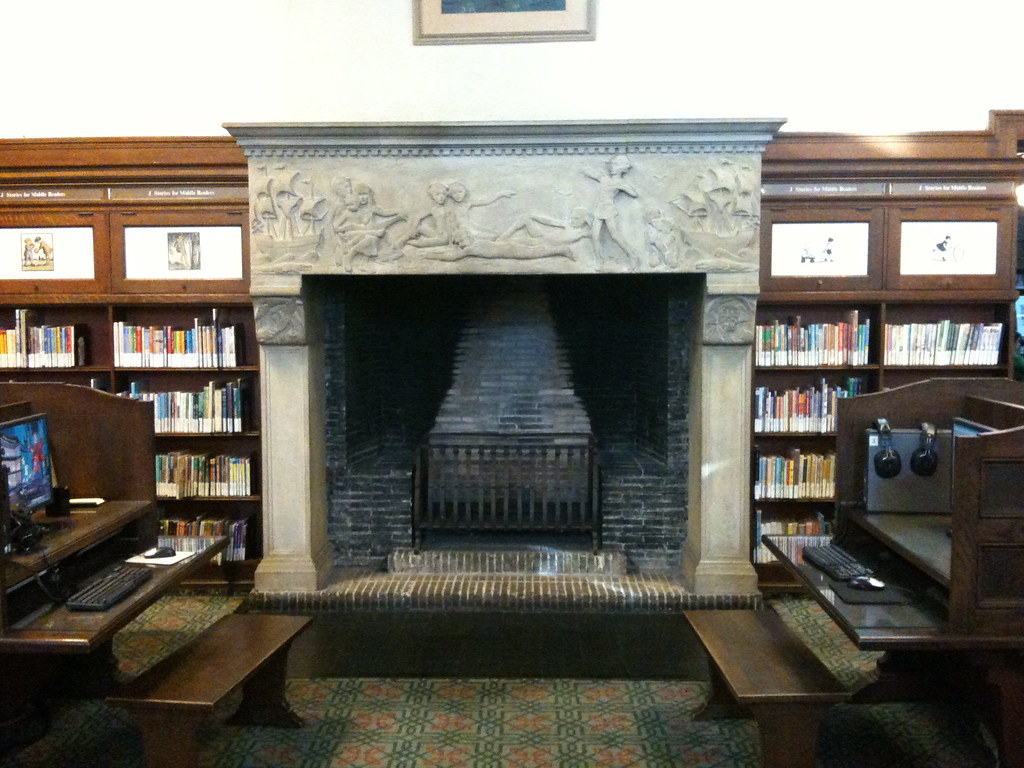
Peter Pan FireplaceMy next favorite room was the Children’s area of the library. Again, the building was showing its classic design and attention to details that I had noticed in the rest of library. As I walked in I was greeted with marvelous vaulted ceilings with hanging lights that accented the room even though they must have been installed many years later as I’m not sure that the original lights could have possibly remained functional. There was a giant fireplace of the variety that I’m sure Hansel and Gretel would have pushed the Witch into that was decorated with figurines carved into the stone. Peter PanFireplaceAt first I was a little worried about little naked children carved into a children’s library features (this would never pass nowadays) but as I looked closer I realized it was Peter Pan!! There was Captain Hook, the Crocodile, the pirate ship, Wendy, Peter, Toodles, and everyone! Absolutely gorgeously carved into the details of this fireplace. I hope my photos do it justice (but I’m sure they don’t).
Of course, to be fair… I do have to make two complaints mostly because nobody’s perfect. The first was simply regarding the children’s collection. I am a HUGE fan of the importance of weeding a collection and their children’s picture book and early reader collection must have a mean date of the early 80s. Of course that’s just speculation because I don’t have the data, but if you look again at the pictures you will notice that the shelves are packed end to end with books with no space for meaningful in-shelf displays or even comfortable browse ability. Many (I’m going to maybe say most) of the books were dirty, torn, old, grungy, dirty, and basically on the borderline of being unsafe due to various contaminants. So my only change would be a massive fundraising by the friends to replace and HEAVILY weed the children’s collection. To be honest, I would almost eliminate 65-70% of this collection with plans to buy back 35-40% with the Friends fundraising and the extra space would be used to “sell” the books from the shelves with more meaningful in-shelf displays. But what a problem to have? Too many books?
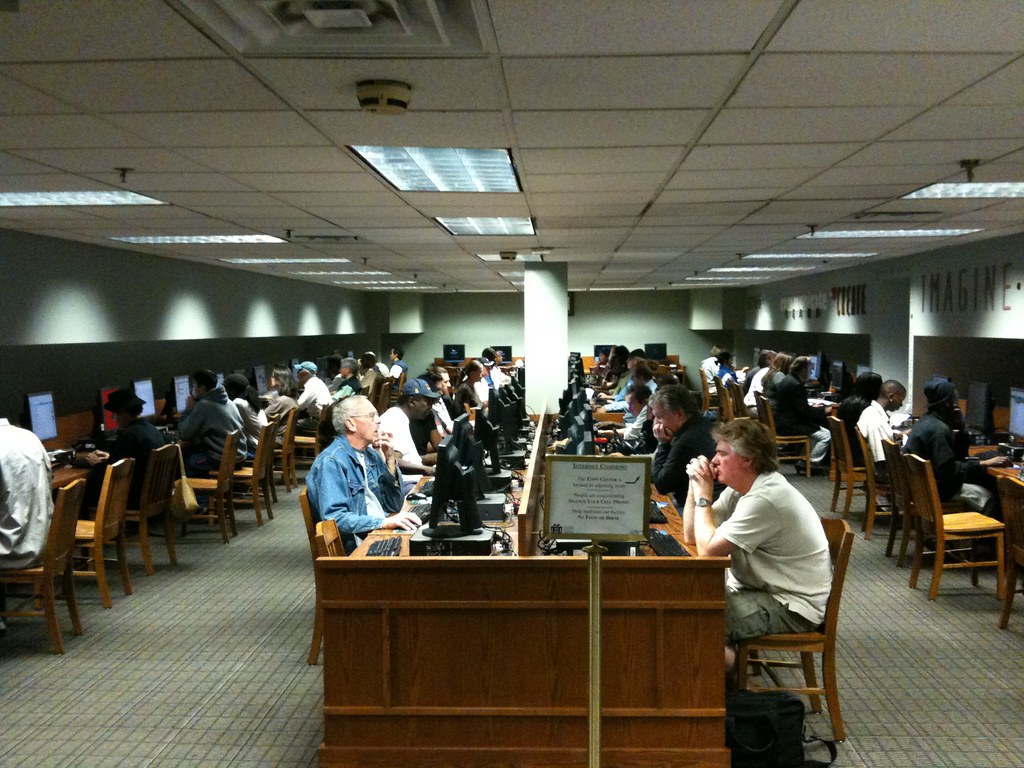
Chickens On ComputersMy second was the computer center located in the basement. I can’t be too hard on the situation as they are dealing with a historical building and they’re providing a service for a high-demand need in the best way they can. However, the poor people are squeezed into the room like a bunch of chickens. There is no room for side-by-side collaboration and in retrospect (I didn’t notice it then) there were NO TEENS in the computer room. Who has that problem in their library? But I think, once again, these issues are stemming from the problems associated with the building and they can’t be blamed with the situation they’re in.
Overall, I loved this library and the kind of classic, warm feelings it seems to cultivate in my librarian soul. Aside from the two (almost non-problems) problem areas this was a fantastic space to tour and if you get a chance to take a look, I suggest you stop by. I’ll leave you with a picture of this device I found in back of the library that I’ve never seen before, but if you can identify it and let me know it’s (I’m sure sinister) purpose is, I would appreciate it. Thanks team. What is this Thing?
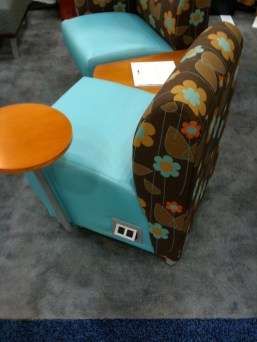
Spiderman was here...I’m not sure why nobody has ever thought of this before!? Or, maybe they have and I just never saw it. In either case, these are the best F@#$% chairs of all time! If you’re tired of patrons stringing their laptop wires across the library floor creating a tripping hazard for your staff and other patrons then you might want to take a look at these chairs. They have built in power and Internet ports so that when your patrons sit in them, they can just plug in their power and Internet right into the seat they’re in. I see many people using laptops in the big comfy chairs around the library and don’t always use one of those tables with the plugs and network ports and instead string their wires across the building.
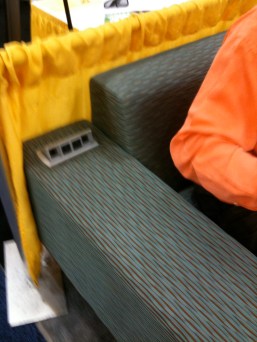
This one big problem as I see it, is needing to run power through the floor to get to the chairs, but I think this can easily be solved by having the chairs in zones next to walls. It’s fairly easy to run power and data lines along a wall and the chairs can be networked together in a row to get power to the chairs further away from the wall. These spaces can create nice user-friendly spaces that don’t look like Spiderman just came swinging through spraying webs across the library. (as a side note, does anyone know what happens to all those webs that Spiderman leaves behind in New York, what do you think the cost to the city is on something like that? Is it a biohazard? Did they have to create some municipal department to deal with the disposal? Where does the funding come from for an operation like that? Ok… Anyway…) I think these chairs solve a number of power and data problems that our patrons face while sitting in the comfortable “3rd space” areas we are trying to create in some of our librares.Data and Power in the Arm of the ChairPower and Data on Side of Chair
After quickly learning that there would be no wireless access at the California Library Conference, I dug in to accept that I would be working almost entirely from my iPhone. I suppose that this is fine considering our current financial situation, but I’m having a hard time wrapping my head around the concept of professionals whose job is to provide information access, and then not be able to access information when we gather in large groups. Oh, well I suppose it is, what it is. And there’s always next year.
So, I spent the first day in the “Planning Library Space” full day institute by the Cohen and Associates. Besides being highly informative about some of the aspects of gaining support for the construction of a new library, there were quite a few great ideas about designing a library as a space. Some of the best ideas from this seminar were:
• The library is a stage, how do you want patrons to feel about the performance?
• Create collaborative workspaces to encourage an exchange of information in libraries
• Walls in libraries to separate different service areas creates barriers to service
• Develop “Living Edges” in library designs
I’m excited to get back to my library and take a look at our space and see what else needs to be done. Unfortunately that list is getting longer and longer but gets me all excited.
After the seminar I went to attend a tweetup in the unconference. A tweetup is a gathering of people who are using twitter and an unconference is… Well… I’m not sure. But I did get a free drink out of it and met the 4 or 5 people at the conference who are twittering about what’s happening at CLA this year. I’m hoping that Saturday or Sunday more people start twittering so I can see what I’m missing at other sessions.
Overall, regardless of the lack of Wireless Internet, this conference has started out fairly well.


 The solution to this kind of problem in public spaces comes from an architect I read about a few years earlier. The architect (who I can’t remember) designed a building with a courtyard but didn’t make any designs for adding concrete walkways through the grass. Of course, everyone complained, but the architect succeeded in keeping the walkways out of the plan. After the building was occupied and used for a few weeks there were very distinct walkways across the grass in the courtyard. So, that’s where he put the concrete walkways! Basically, he let the people using the courtyard, design the courtyard in a way that worked for them. Not the other way around.



 The first concern is the cost of such a system. In my last library we used the 3M system for RFIDs and automation. The RFIDs cost $0.46 each (we had 180,000), the RFID readers cost a few thousand each (we had almost 20), the RFID printers were rented and still cost a few thousand. These costs don’t include the costs for the servers, wiring, installation, security gates, self check-stations, and software maintenance charges that total some number beyond my comprehension. At that library we didn’t have, and therefore I didn’t include the cost of a fully automated sorting system and all items fell through the bookslot and into one bin.
 My third concern is; how well does the sorting machine actually work? I’ve been to a few libraries that use an automated sorting system that simply doesn’t sort the items in a way that’s even remotely effective. The items are misfed, mislabeled, and missorted to such an extent that the librarians have simply stopped using the system. The complaints from the poor folks who are stuck with these machines are long and plentiful and filled with stories of what could have been better done with the hundreds of thousands of dollars that were spent on the non-functioning machine. Of course the vendors promised the world to these sad librarians and I’ve actually heard the vendors say at conferences that staff will never have to touch a book again! In fact, I’ve had to stop spending time in exhibit halls at conferences because I’ve angered too many venders by my questions that lead them to admit to the Music Man like lie they just blatantly made to the group of librarians who surrounded their shiny new machines that would solve every library problem ever created and sure to come.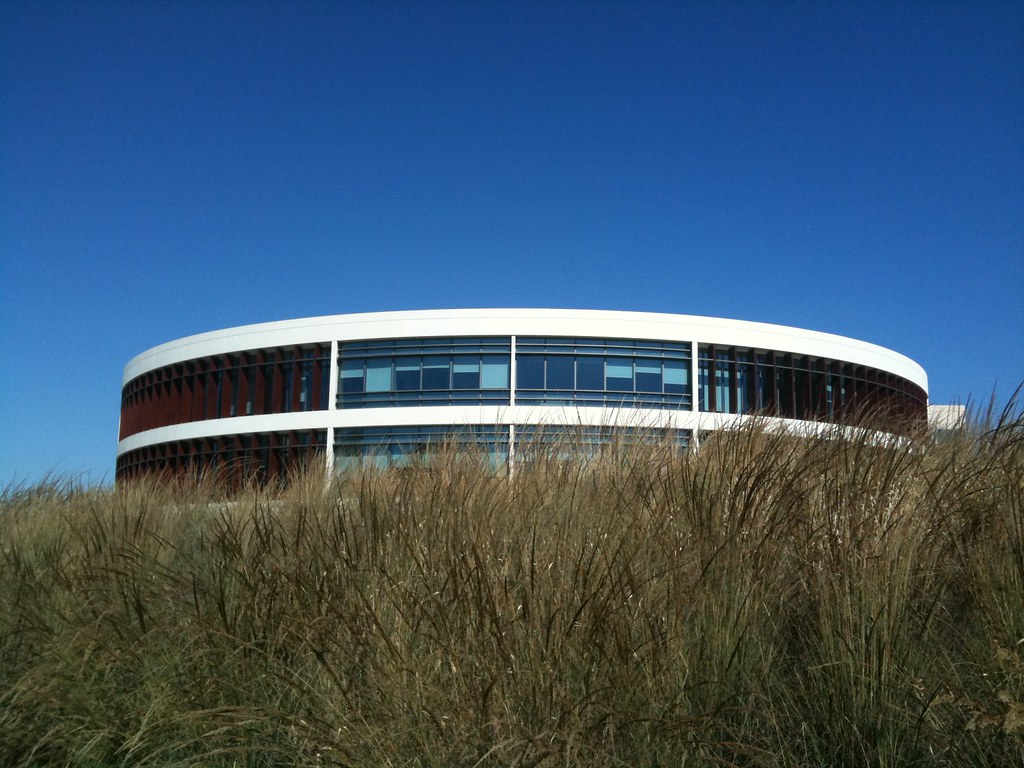




 PC Sweeney